
Smart Locks for Vacation Rentals: 12 Essentials Every STR Owner Should Know
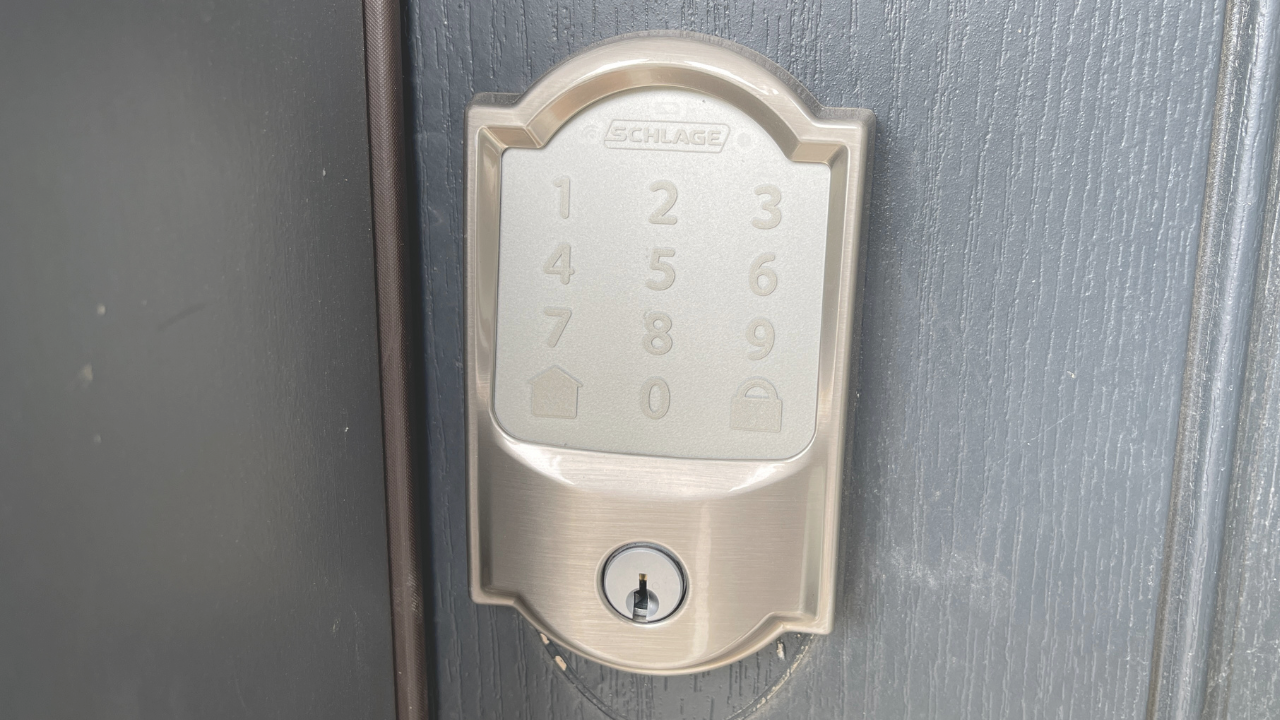
Smart locks are one of the highest-impact upgrades a short-term rental can make. They remove key handoffs, enable contactless check-in, and tighten access control—all while signaling a modern, guest-friendly experience. Below, we break down the 12 things every STR investor should know before choosing and deploying smart locks.
Understanding Smart Locks in Short-Term Rentals
Smart locks are internet- or Bluetooth-enabled door locks that let you grant, revoke, and monitor access remotely. For STRs, they generate unique time-bound entry codes for each booking, integrate with PMS/OTAs, and support automated ops—reducing friction for guests and managers alike. A recent industry study found that many guests would pay more for rentals featuring smart-home amenities, underscoring the perceived value of upgrades like smart locks.
Key Rules or Steps
Six Ways Smart Locks Boost Reviews and Rates
Elevate the guest experience
Replace key exchanges and lockboxes with PIN-based, time-bound access for smooth arrivals and fewer support calls.
Enhance perceived property value
Smart-home features can justify higher nightly rates and help listings stand out in competitive markets.
Blend security with convenience
Issue unique codes per stay, enable remote lock/unlock, and review access logs to reduce risk and disputes.
Create a cohesive smart-home stay
Pair locks with thermostats, noise monitoring, and Wi-Fi management for a polished, tech-forward experience.
Streamline property management
Automate turnovers, vendor access, and lock resets from anywhere to cut labor and drive consistency.
Future-ready integrations
Expect deeper PMS/OTA syncing, voice assistance, and AI-driven automations that personalize stays.
Six Key Considerations When Choosing a Smart Lock Provider
Seamless PMS integration
Prioritize locks that integrate with your property management system (e.g., Hostaway) for automatic code creation tied to reservations.
Brand reliability
Choose established vendors with proven uptime, security track records, and responsive support.
Guest and manager usability
Favor app-light, code-first experiences for guests and intuitive dashboards for teams.
Feature set
Look for time-bound PINs, offline fallback, audit trails, auto-lock, shared doors support (common areas/garages), and noise device/thermostat compatibility.
Hardware fit and durability
Confirm door compatibility (deadbolt vs. lever), battery life, weather resistance, and availability of replacement parts.
Cost vs. ROI
Weigh device price, hubs/bridges, subscription fees, and installation against higher ADR, fewer truck rolls, and reduced support time.
Why It Matters for Investors
Smart locks compress operational overhead while lifting guest satisfaction—two levers that directly influence NOI. Contactless access reduces late-night lockouts, vendor coordination time, and key management costs. Meanwhile, better first impressions drive reviews, search rank, and booking velocity, supporting stronger ADR without sacrificing occupancy.
Step-by-Step Process
Audit your doors and network
Identify lock types (deadbolt/handle), check Wi-Fi reliability, and note any HOA/building constraints.Select hardware and ecosystem
Choose a lock/bridge combo that fits your doors and integrates with your PMS and automations.Define access policies
Time-bound codes per booking; unique codes for cleaners, maintenance, and inspectors; auto-expire after checkout.Install and test
Perform on-site installs, verify latch alignment, confirm bridge connectivity, and test codes end-to-end.Automate via PMS
Connect your PMS (e.g., Hostaway) so codes generate and message automatically with check-in instructions.Create SOPs and training
Document code naming, emergency access, battery swaps, and guest support flows; train your team.Monitor and optimize
Track lock battery health, failure rates, late check-ins, and support tickets; iterate messaging and buffers.
Common Mistakes to Avoid
Skipping PMS integration
Manual code entry invites errors and after-hours issues.Poor door prep
Misaligned latches drain batteries and cause lock failures.No offline fallback
Choose models that still accept PINs when Wi-Fi is down.Generic, persistent codes
Reused codes create security risks; use time-bound, one-off PINs.Under-communicating check-in
Send clear arrival instructions, code delivery timing, and troubleshooting tips.Ignoring battery management
Set proactive replacement schedules and keep spares on site.
How Rent Live Play Helps
Rent Live Play implements smart-lock programs end-to-end for STR owners. We audit doors and connectivity, recommend compatible hardware, and integrate with your PMS to automate code creation and guest messaging. Our team sets SOPs for vendor access, emergency protocols, and battery management—backed by monitoring that cuts support volume and improves guest satisfaction. Partner with Rent Live Play to pair smart access with top-ranking Airbnb listings, professional co-hosting, and data-driven pricing for stronger reviews and ROI.
Disclaimer: This article is for informational purposes only and does not constitute legal, financial, or investment advice. Always consult with qualified professionals before entering into any real estate transaction.
